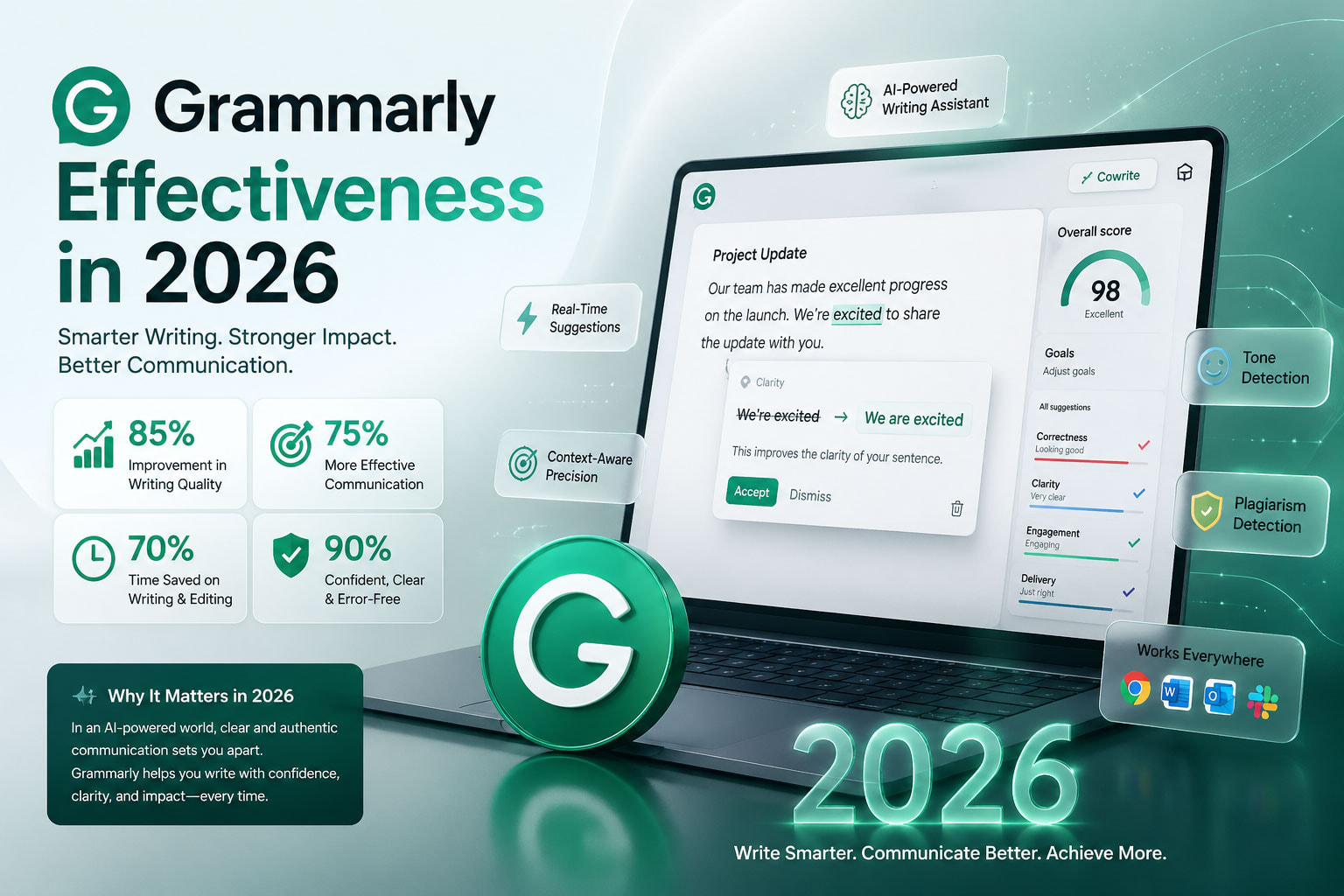
Introduction: Is Grammarly Still Worth Your Time in 2026?
Picture this: you’ve just finished writing an important client proposal. You read it over once, feel confident, hit send — and thirty minutes later, spot a glaring sentence fragment sitting right there in paragraph two. It’s the kind of gut-punch that never gets easier, no matter how experienced a writer you are.
That’s the exact problem Grammarly was built to solve. And in 2026, with AI writing tools multiplying faster than you can scroll through the App Store, the question everyone’s asking is simple: how good is Grammarly effectiveness compared to what else is out there?
This isn’t a sponsored walkthrough of Grammarly’s feature list. It’s a no-fluff, data-backed assessment of what Grammarly actually does well, where it falls short, and whether the investment makes sense for different types of users — from students needing an english grammar check to marketing professionals who live and die by polished copy.
Let’s get into it.
Read more :
>>>Top 3 Free Ai Writer Tools Showdown 2025
What Grammarly Actually Does: Beyond the Basic Grammar Check
Most people discover Grammarly because they need a quick grammar correction or a reliable sentence correction online tool. That’s still at the core of what Grammarly offers — but calling it “just a grammar checker” in 2026 is like calling a smartphone “just a phone.”
Grammarly has evolved into a full-spectrum writing assistant. Here’s what it covers:
Grammar and Spelling: The obvious starting point. Grammarly scans every word for spelling errors, incorrect word forms, and punctuation mistakes — including the ones that trip up even fluent writers, like misplaced commas, incorrect apostrophes, and subject-verb disagreement in complex sentences.
English Grammar Check Across Multiple Dialects: Grammarly supports American, British, Australian, and Canadian English, letting you set your preferred dialect so suggestions align with your audience. This is genuinely useful if you’re writing for global markets where “colour” versus “color” actually matters.
Sentence Correction Online — In Real Time: One of Grammarly’s signature strengths is real-time feedback. As you type, it flags issues instantly. This isn’t just about catching typos; it identifies awkward phrasing, run-on sentences, sentence fragments, and passive voice overuse — delivering sentence correction online without ever making you leave your browser or document.
Tone Detection and Adjustment: Grammarly analyzes the emotional tone of your writing — whether it reads as confident, formal, friendly, or tentative — and offers suggestions to better match your intended message. For anyone writing professional emails or client-facing documents, this alone is worth the price of admission.
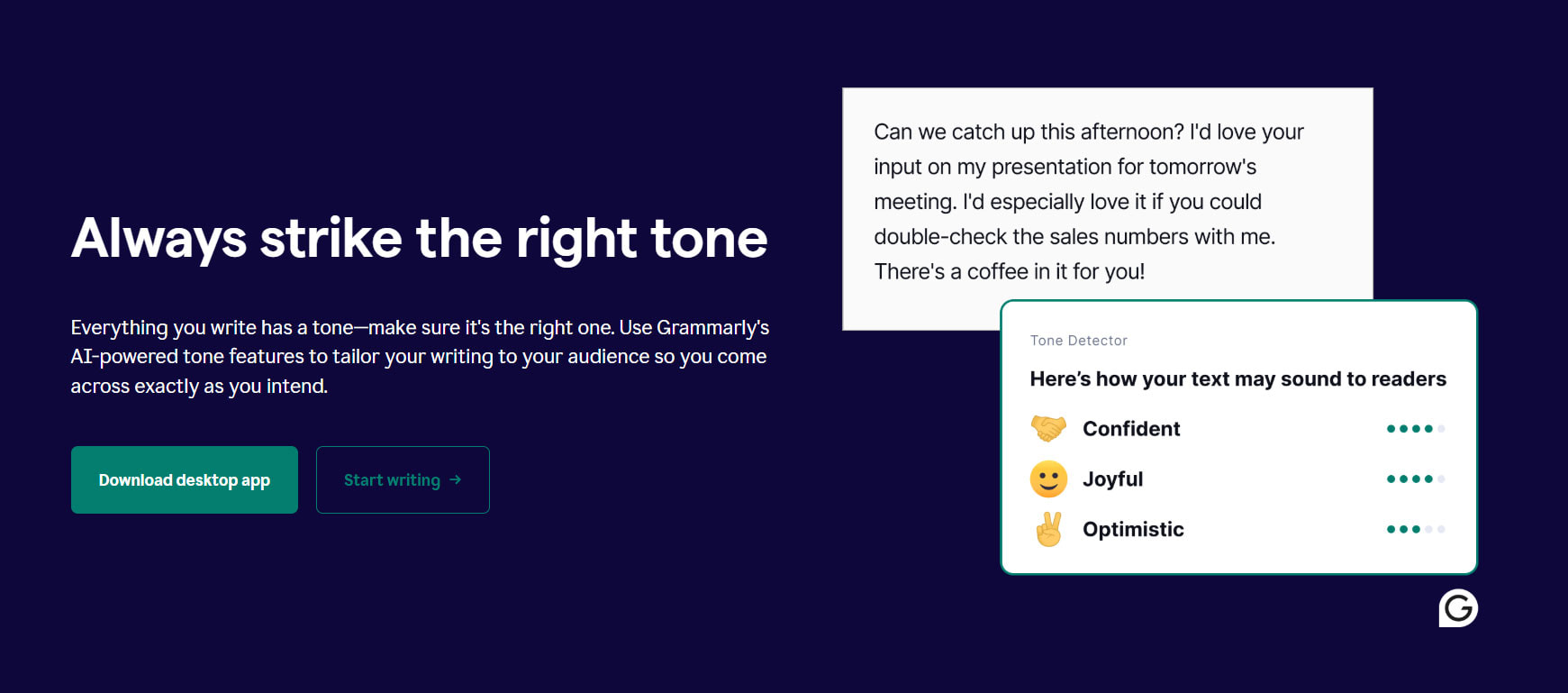
Clarity and Conciseness: Beyond grammar correction, Grammarly flags wordiness, redundant phrases, and unclear constructions. It doesn’t just tell you something is wrong; it explains why and offers a cleaner alternative.
Plagiarism Detection (Pro): For content creators, researchers, and students, Grammarly’s plagiarism checker scans text against billions of web pages to flag unintentional similarities. Useful for peace of mind, though not infallible.
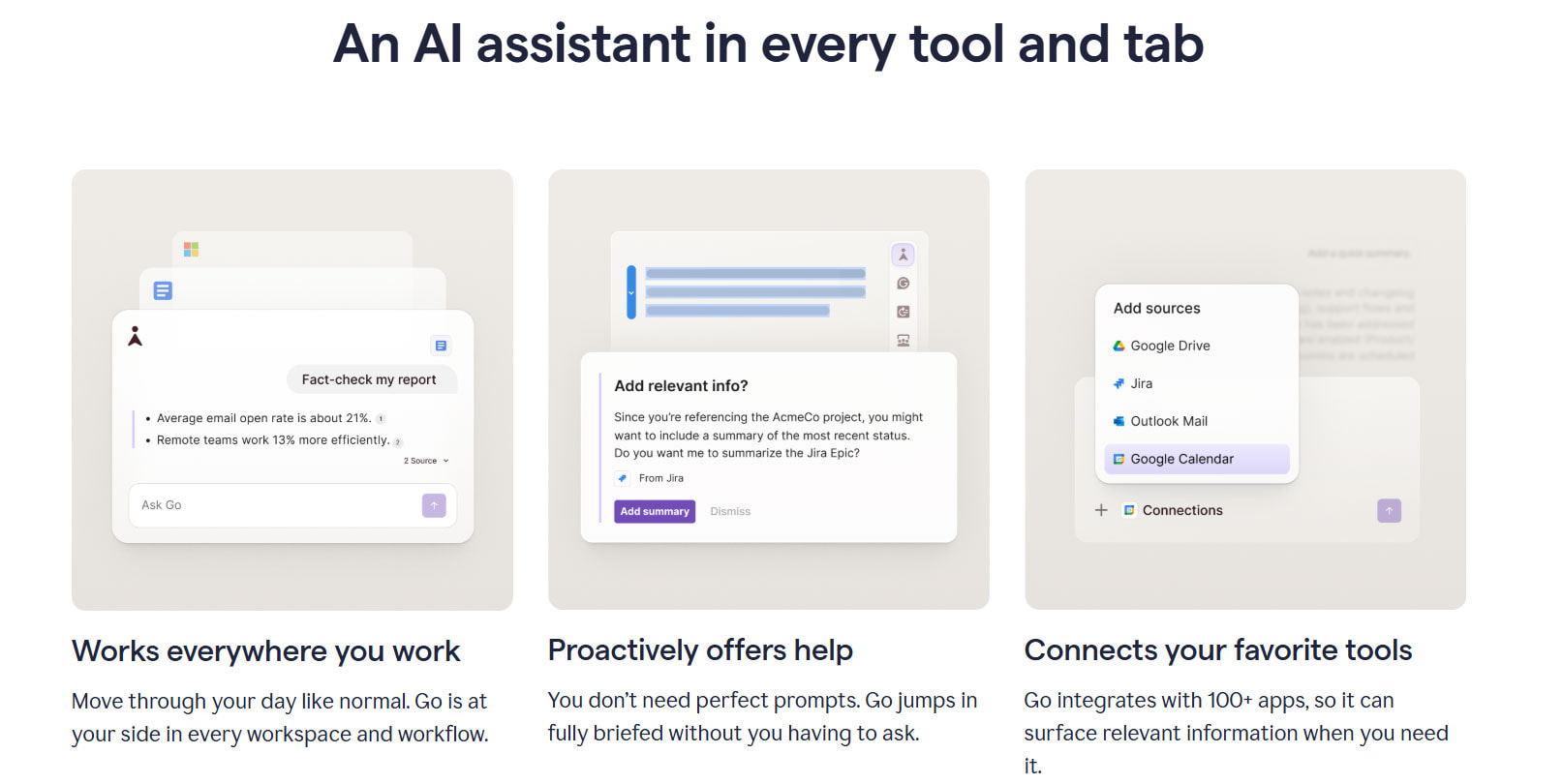
GrammarlyGO — AI Content Generation: The platform’s generative AI layer allows users to draft emails, summarize documents, brainstorm ideas, and rewrite entire passages — all from within the Grammarly interface.
Grammarly Effectiveness by the Numbers: What the Data Says
Talk is cheap. Let’s look at what independent testing and real-world usage data reveal about Grammarly’s actual performance in 2026.
Grammar Accuracy: 93–98%
Independent testing shows Grammarly caught 44 out of 47 intentional errors — a 93.6% detection rate — with near-instant processing speed. This places it ahead of most competing english grammar check tools on the market. What’s particularly impressive is its ability to detect errors inside complex, multi-clause sentences that even experienced editors occasionally miss.
For reference, Microsoft Word’s built-in spell checker missed every single error in the same tests. The gap between a dedicated grammar correction tool like Grammarly and a built-in word processor checker is significant.
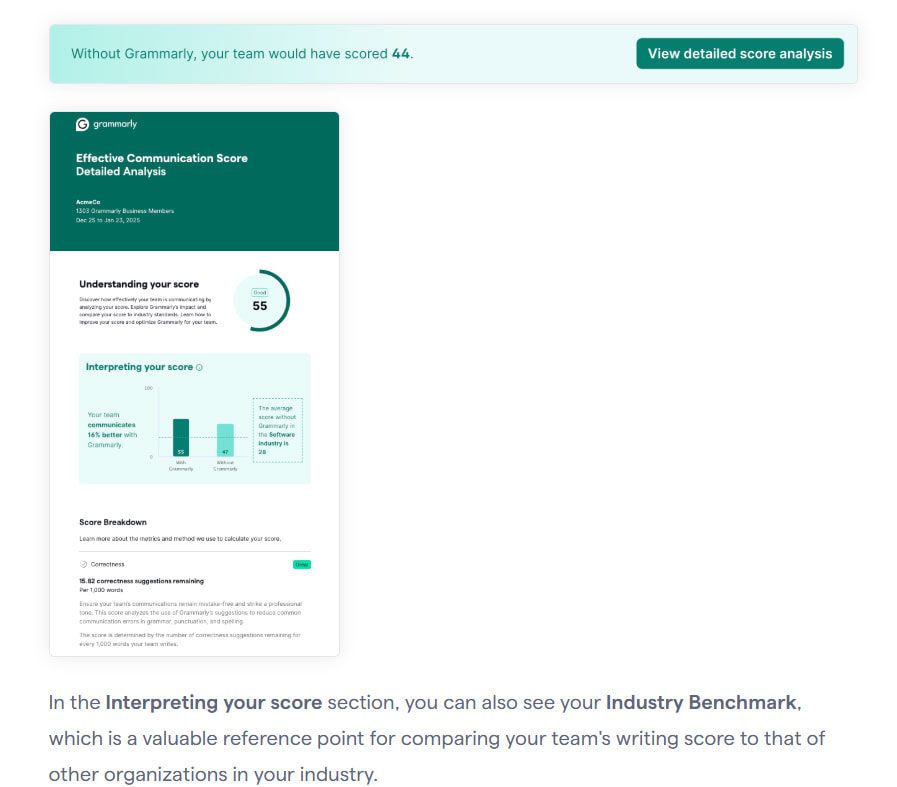
Communication Effectiveness: 66% Improvement
Users who consistently apply Grammarly’s tone suggestions report a 66% improvement in communication effectiveness. That’s a self-reported figure from user surveys, so take it with appropriate skepticism — but even a fraction of that improvement translates to real-world benefits: fewer misunderstood emails, more professional client impressions, and faster editing cycles.
Context Recognition: 40% Fewer False Positives
One of the persistent criticisms of early Grammarly versions was flagging technical terminology and intentional stylistic choices as errors. The 2026 version has improved significantly: when writing technical documentation, Grammarly now automatically recognizes domain-specific terms and adjusts its suggestions accordingly, reducing false positive warnings by roughly 40% compared to earlier versions.
Enterprise ROI: The Databricks Case Study
For skeptics who want hard business numbers: Databricks, a major enterprise technology company, reported saving $1.4 million annually after implementing Grammarly across their teams, with editorial editing cycles cut by 50%. This is a large-organization result that won’t translate directly to a solo freelancer — but it demonstrates the compounding value of consistent grammar correction at scale.
The 2026 Feature Updates That Actually Matter
Grammarly releases updates regularly, but not all of them are worth your attention. Here are the 2026 additions that genuinely move the needle:
Smarter Sentence Rewriting
The upgraded Rewrite function now uses a more sophisticated contextual engine. Instead of suggesting line-by-line tweaks, it proposes full paragraph rewrites that match your intended tone and audience. For professionals writing under time pressure, this is a significant productivity boost — especially when you know what you want to say but can’t quite get the sentence correction to land the way you want it.
Brand Voice for Teams
This is a game-changer for content teams. With Brand Voice (available on Business plans), you define your company’s writing style once — tone, vocabulary preferences, formality level — and Grammarly enforces it automatically across every team member’s writing. If you’ve ever spent hours realigning five different writers’ output into a cohesive brand voice, you understand why this feature exists and why it matters.
AI Humanizer
Available on Pro plans, AI Humanizer lets you take a piece of text — whether AI-generated or your own draft — and run it through voice templates: Neutral, Concise, Formal, Clear, Crisp, Assertive, or Objective. You can even train it on your own writing samples. Provide 3–4 example texts, and Grammarly learns your personal tone for future use. The output genuinely reads more naturally than most AI rewriting tools.
Cross-Platform Integration at Scale
In 2026, Grammarly integrates with over 1 million apps and websites — including Google Docs, Microsoft Word, Gmail, Outlook, Slack, LinkedIn, and most major content management systems. This means your english grammar check and sentence correction online happen wherever you write, without copy-pasting anything into a separate tool.
You may also like:
>>>Writesonic: AI Essay Generator Free – The Smartest Way to Write in 2025
Where Grammarly’s Effectiveness Falls Short
A balanced assessment means acknowledging the limitations. Grammarly has real weaknesses you should know before committing to a subscription.
Pattern Recognition, Not True Language Understanding
Grammarly operates on pattern recognition rather than genuine comprehension of meaning. This matters for complex writing: it sometimes flags intentional sentence fragments used for stylistic effect, questions unconventional sentence structures that are entirely valid, and occasionally suggests changes that technically follow grammar rules but make the writing sound worse. Your judgment remains essential — Grammarly is a tool, not a replacement for editing skill.
Creative Writing Gets Complicated
Writers who use intentional style choices — short punchy sentences, deliberate rule-breaking, fragmented structures for rhythm — will find Grammarly’s suggestions more hindrance than help. The platform has improved in this area, but it still struggles to distinguish between an error and a deliberate creative decision. If your writing voice relies on unconventional grammar, expect to dismiss a lot of notifications.
AI Detection Is Unreliable
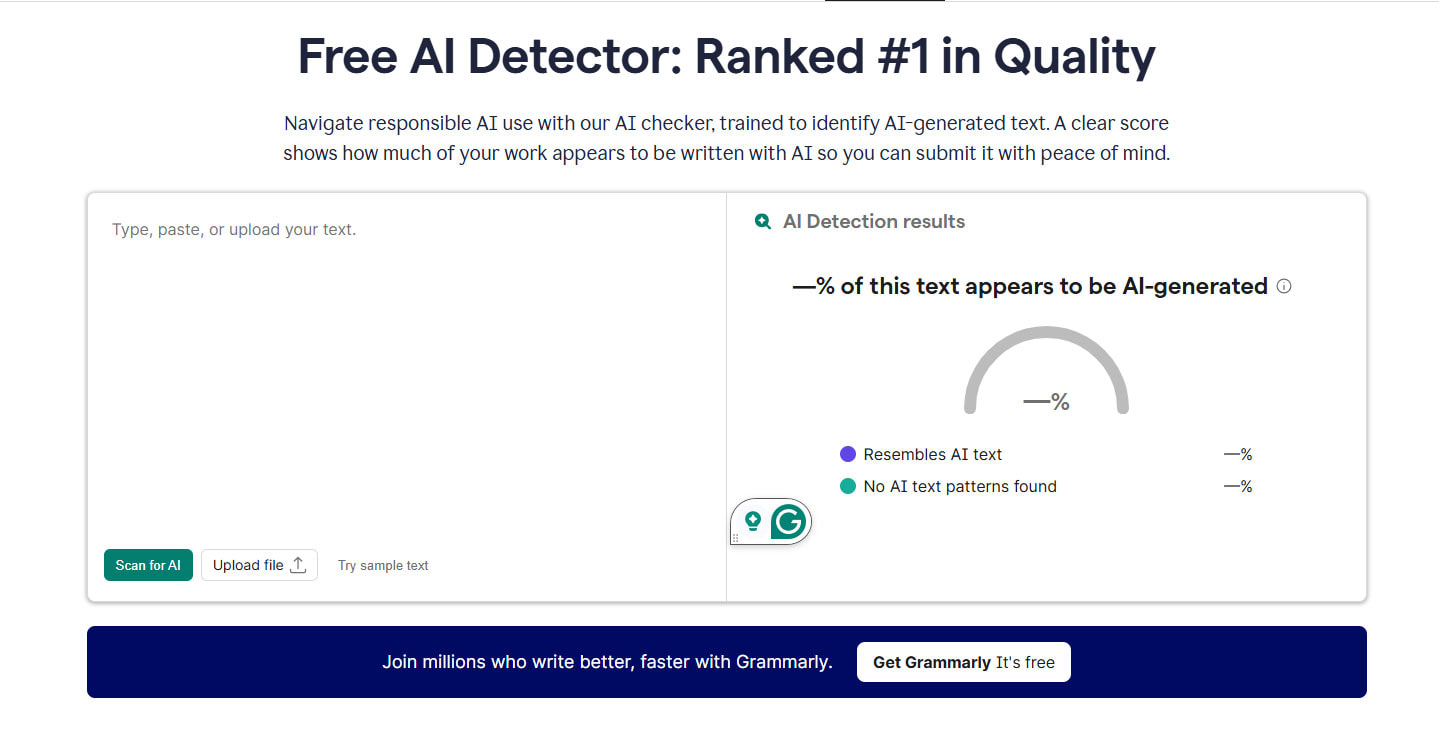
Grammarly’s AI content detection feature reaches only 72% accuracy for ChatGPT-generated text, with a 15% false positive rate for human-written content. That means it incorrectly flags human writing as AI-generated 15% of the time. Do not use this feature for high-stakes decisions in academic or professional settings — dedicated detection tools like Turnitin or GPTZero are significantly more accurate.
English Only — No Exceptions
Grammarly supports four dialects of English and nothing else. If you write in any other language, Grammarly cannot help you. This is a hard limit with no workaround, and it’s worth stating plainly: for non-English writing tasks, you’ll need a different solution entirely.
Pricing Has Increased
The annual Pro plan runs $144/year ($12/month equivalent), with monthly billing at $30/month. The price has increased compared to previous years, and more of the genuinely useful features have been moved behind the Pro paywall. The free tier still provides solid basic english grammar check functionality, but the gap between free and Pro is wider than it used to be.
Grammarly Free vs. Pro in 2026: Which Plan Makes Sense?
| Feature | Free | Pro ($12/month billed annually) |
| Grammar & spelling check | ✅ | ✅ |
| Tone detection | ✅ | ✅ |
| Basic clarity suggestions | ✅ | ✅ |
| Monthly AI prompts | 100 | 1,000 |
| Plagiarism detection | ❌ | ✅ |
| Full sentence correction & rewrites | ❌ | ✅ |
| Advanced tone adjustment | ❌ | ✅ |
| AI Humanizer | ❌ | ✅ |
| Vocabulary enhancement | ❌ | ✅ |
| Style guide enforcement | ❌ | ✅ |
The practical verdict: The free plan is genuinely good for casual writers who need a basic english grammar check and occasional sentence correction online. The Pro plan pays for itself if you write professionally every day and your output quality has real stakes — client relationships, publishing standards, or brand reputation.
Who Gets the Most Value from Grammarly in 2026?
High-value users:
- Marketing and communications professionals writing high volumes of client-facing copy
- Non-native English speakers who need reliable english grammar check support for professional contexts
- Content creators maintaining consistent output quality across multiple platforms
- Teams needing enforced brand consistency across many writers (Business plan)
- Students and researchers requiring plagiarism checks alongside grammar correction
- Sales professionals whose emails represent first impressions with prospects
Users who might not need Pro:
- Casual writers with occasional needs — the free plan handles this
- Writers who need long-form AI content generation — dedicated AI tools like Claude or ChatGPT offer more capability here
- Creative writers whose voice relies on deliberate rule-breaking — Grammarly may work against you more than for you
How to Maximize Grammarly’s Effectiveness: Practical Tips
Knowing the tool exists is one thing. Using it intelligently is another.
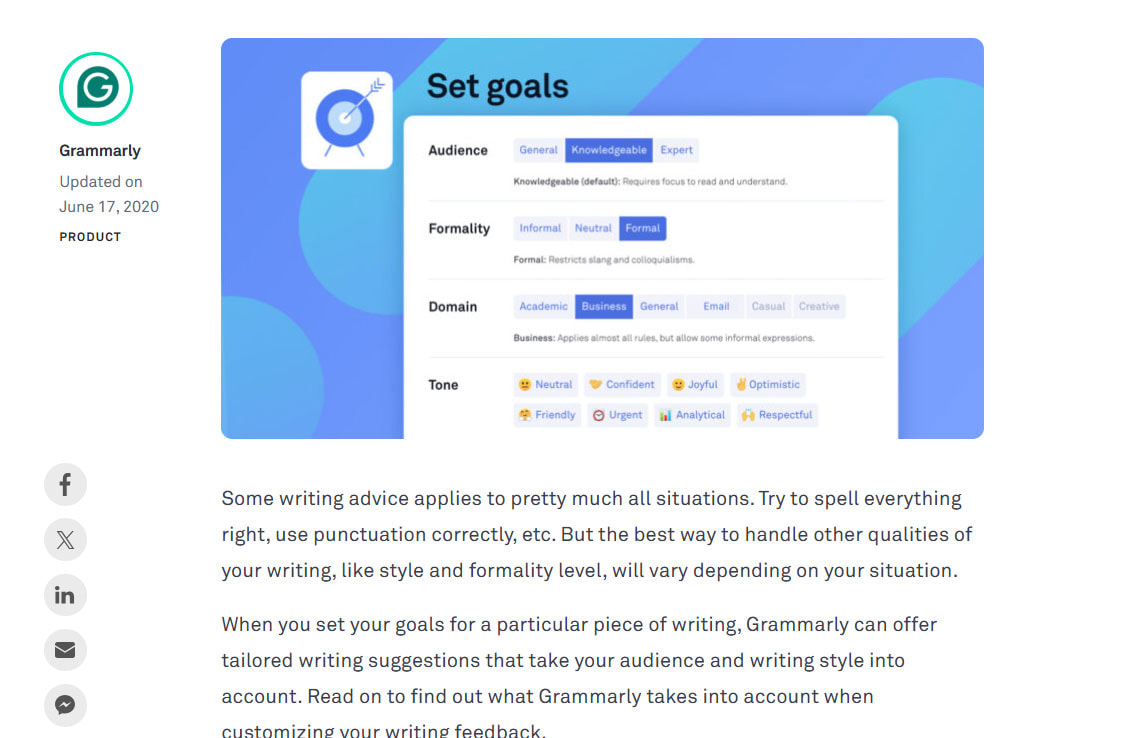
Set your Goals before every document. Before writing anything important, configure Grammarly’s Goals panel: set your audience, formality level, domain, and intent. This single step dramatically improves the relevance of every suggestion Grammarly makes, from grammar correction to tone adjustments.
Don’t auto-accept suggestions. This sounds obvious, but it’s the most common mistake new users make. Grammarly suggests; you decide. Review every recommendation, especially for sentence correction that touches your writing voice. Accept what improves clarity, skip what flattens your tone.
Use Tone Detector before sending anything important. Before hitting send on that proposal, performance review, or partnership pitch, run a tone check. It takes thirty seconds and has saved countless professionals from accidentally sending something that reads as more aggressive or passive than intended.
Pair Grammarly with other AI tools strategically. Grammarly isn’t a content generator — it’s a polisher. The optimal workflow for 2026: use an AI tool to generate your first draft, edit for substance and structure yourself, then run it through Grammarly for english grammar check, sentence correction online, and tone review before publishing or sending.
For teams: set up Brand Voice on day one. If you’re on a Business plan, don’t put this off. The one-time setup investment pays dividends every week as your team’s written output becomes more consistent without anyone having to manually enforce style guidelines.
Grammarly vs. the Competition: Where It Stands
- Microsoft Editor: Free with Microsoft 365 and covers basic grammar correction adequately. Grammarly wins on cross-platform integration, depth of suggestions, and team features — but if you live exclusively in the Microsoft ecosystem and your needs are basic, Editor is worth trying first.
- QuillBot: QuillBot leads on paraphrasing and summarization. Grammarly leads on grammar accuracy and real-time sentence correction online across platforms. They solve different problems and can be used together effectively.
- ProWritingAid: ProWritingAid offers more detailed style reports and integrations with Scrivener — better for long-form authors. Grammarly is faster, more polished for professional communication, and has superior cross-platform reach.
- ChatGPT / Claude / other AI assistants: These tools excel at generating, restructuring, and reimagining content. Grammarly excels at polishing, catching errors, and enforcing consistency in real time as you write. They’re complementary, not competing — the best workflows in 2026 use both.
Final Verdict: Grammarly Effectiveness in 2026
Grammarly isn’t magic. It won’t transform a weak writer into a great one overnight, and it won’t catch every edge case in nuanced grammar or advanced sentence correction. Relying on it completely — without developing your own writing instincts — is a mistake.
But what it does, it does better than almost anything else available: reliable english grammar check at 93–98% accuracy, real-time sentence correction online across over a million platforms, intelligent tone detection, and in 2026, genuinely useful AI-powered rewriting and humanization features.
For professionals whose writing represents their brand, their credibility, or their revenue — the $12/month Pro subscription is a defensible and practical investment. For casual writers, the free plan is among the most generous free-tier offerings in the entire writing tools market.
The bottom line on Grammarly effectiveness in 2026: it remains the most reliable, most integrated, and most consistently improved AI writing assistant for English-language professional communication. Use it as the second pair of eyes it was designed to be — not as a substitute for your own judgment, but as the tool that catches what your judgment misses.
Frequently Asked Questions
Is Grammarly effective for non-native English speakers?
Yes — arguably more so than for native speakers. Non-native English speakers benefit most from Grammarly’s english grammar check, sentence correction online, and vocabulary suggestions. Several long-term users report that daily engagement with Grammarly’s explanations measurably improved their English writing skills over time.
Does Grammarly work for sentence correction online across all platforms?
Grammarly integrates with over 1 million apps and websites in 2026, including Google Docs, Microsoft Office, Gmail, Outlook, Slack, LinkedIn, and most browsers via extension. Coverage is broader than any other tool in this category.
Can Grammarly replace a human editor?
No — and it’s not designed to. Grammarly excels at grammar correction, spelling, and style consistency. Human editors bring contextual judgment, storytelling sense, and audience insight that no tool currently replicates. The best results come from using both.
Is the free Grammarly plan worth using?
Absolutely. The free plan provides genuine value for basic english grammar check and sentence correction online. Upgrade to Pro only if you need advanced features like plagiarism detection, full rewrites, or higher AI prompt limits.
This article was compiled from independent reviews, documented user data, and official Grammarly product information current as of April 2026.
You may also like:
>>Top 7 Young Adult Books Every Teen & Adult Should Read
>>Top 8 Relationship Books to Transform Your Connections
>>Top 8 Educational Literature Books Every Teacher Should Read in 2026
>>Top 9 Best Business Books That Will Change Your Life—and Your Career—Forever